
The Power of Connection
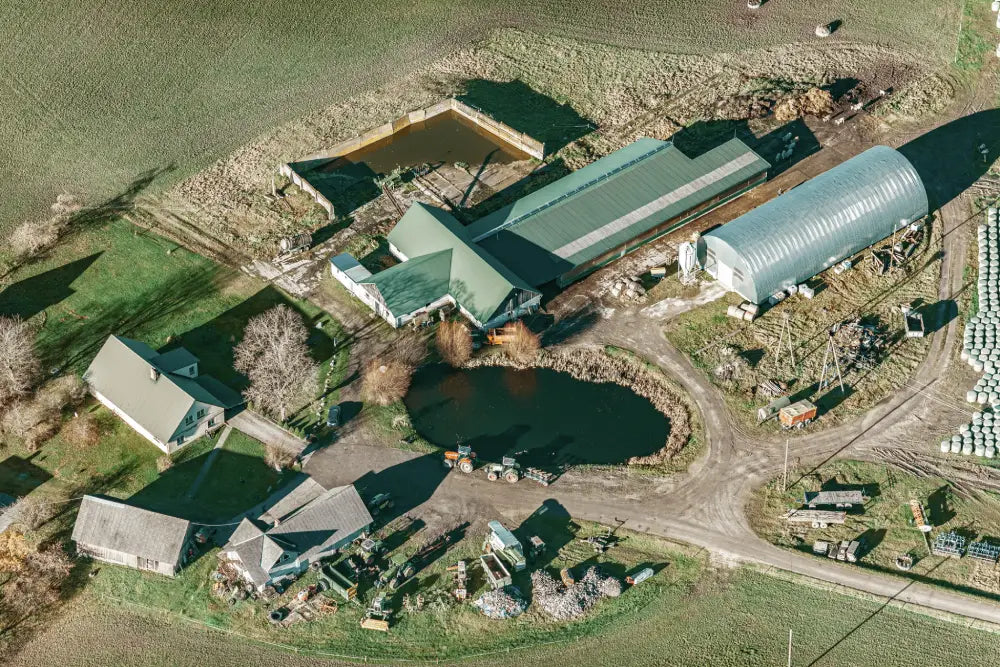
So, you want to connect your main property’s wireless to your… shed/granny flat/barn/garage/AirBnB/ campsite/solar farm or even a Starlink connection?
This section will show you how to connect devices in different locations to the same wireless network.
“Wireless is about density not distance”
It is often thought that increasing the power of a wireless access point will enable coverage over a greater area and therefore allow the signal to reach another building. This may work in some instances, but various factors can significantly affect performance, such as physical distance between buildings and even the types of building materials of each property.
There really is only one reliable way to make it all work… a point-to-point connection, often called a wireless bridge.
Point to Point Solutions
A wireless bridge is a networking solution that allows you to connect two or more separate local area networks (LANs) together via wireless radio frequencies, without needing to run cables between them. Typically, you create a wireless bridge using paired wireless devices (such as routers) that support bridge mode, with one acting as the base station (or distribution system) and the other(s) acting as receivers.
The distance of a wireless bridge can range from 10 metres to several kilometres and can handle speeds up to and beyond 1Gb/s.
Once you create the wireless bridge, you can use a little more equipment to create a wireless (and wired if needed) network in that new location. This will allow your devices (laptops, smart phones, tablets) to connect to and use the same internet connection as your main property and become part of the same network.
This option can even be extended to join multiple locations together in what is called a Point-to-Multi-Point Wireless Bridge.

Want to See a Ruijie Reyee Wireless Bridge in Action
This video will give you a good idea of what is possible and what you need to consider when building your own wireless bridge connection.
Frequently Asked Questions
What wireless bridge solution should I use?
What wireless bridge solution should I use?
There are several different vendors that offer wireless bridge kits and bridging solutions. The key is to factor in what devices your existing implementation currently has, such as routers. You can then supplement it with devices from the brands already you know and trust.
Can I install a wireless bridge myself?
Can I install a wireless bridge myself?
Yes, the process is straightforward. Ultimately, configuring and installing a wireless bridge will depend upon your technical skill level. We are available to provide advice on this.
Can I connect buildings together using one wireless bridge?
Can I connect buildings together using one wireless bridge?
Yes, it is entirely possible to link multiple buildings together with one system. The simplest, most cost-effective option - affectionately known as "The Tech Geeks Way" – is a pre-configured solution that just requires you to run physical cables and mount devices to the outside of your buildings.
Have More Questions?
Have More Questions?
Click here and we can help you out
What Do I Need to Order? - Point-to-Point/Bridge Devices
What Do I Need to Order - Access Points, Routers & Switches
Not Sure What Choices To Make?
Hey, we know, this one is not straight forward and one option does not fit all. Our pricing tools are designed to just cover the common setups, but what if:-
You have several properties you need to connect?
The connection needs to span several large distances?
You need a specific speed across the link?
You need a design made up?
You just want to install it and not worry about the technical bits?
Well, that is where we can help. Fill in the details below and one of our team will work with you to create a list of all the items you need to create the perfect solution.
Warning For Wireless
Before you can choose the right solution, you will need to know more about the location that needs wireless extension, and the makeup of any walls, floors or objects between buildings.
The following materials can massively decrease the performance speed and distance wireless will travel:
- Metal
- Blue stone
- Concrete
- Dense foliage and trees
- Solid wood beams and panels
Remember, if you are not sure, need some extra help or are just a little lost and need some direction, we are on hand to help. Give us a call (1300 910 949), start up a webchat (bottom right-hand corner) or fill in the contact form


